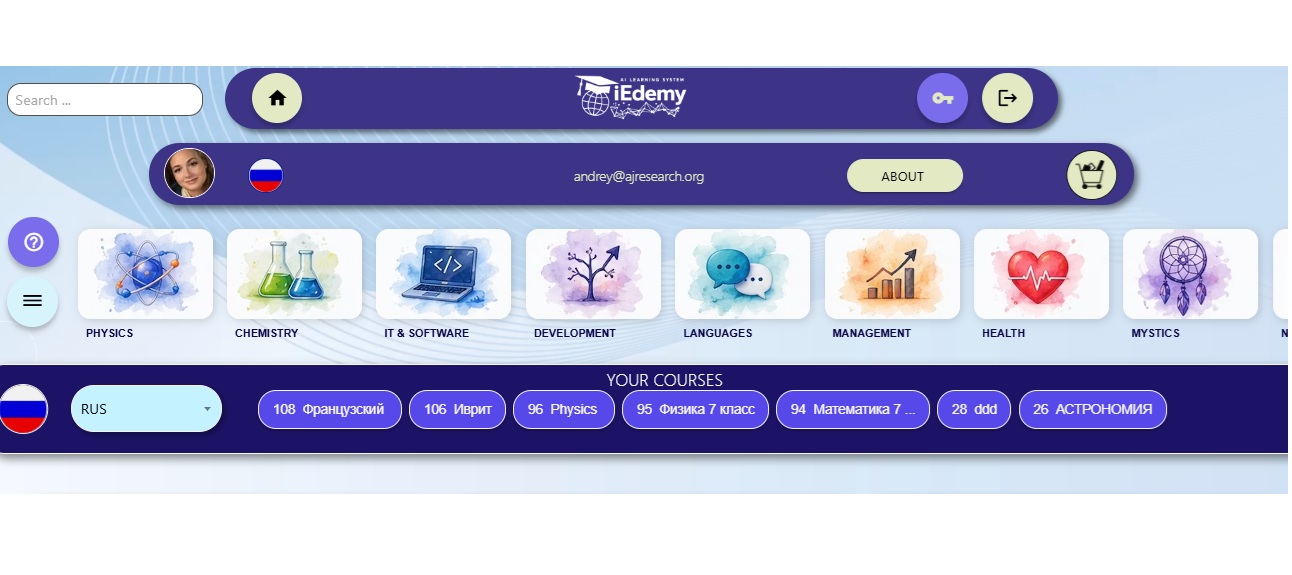



Page 1. Primary Registration
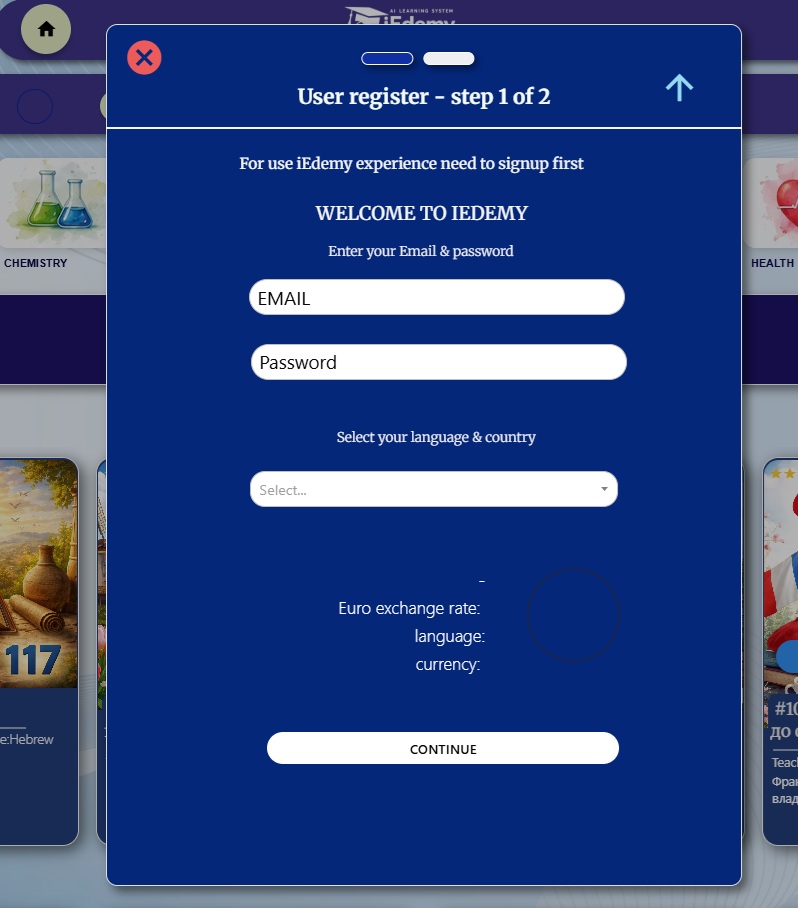
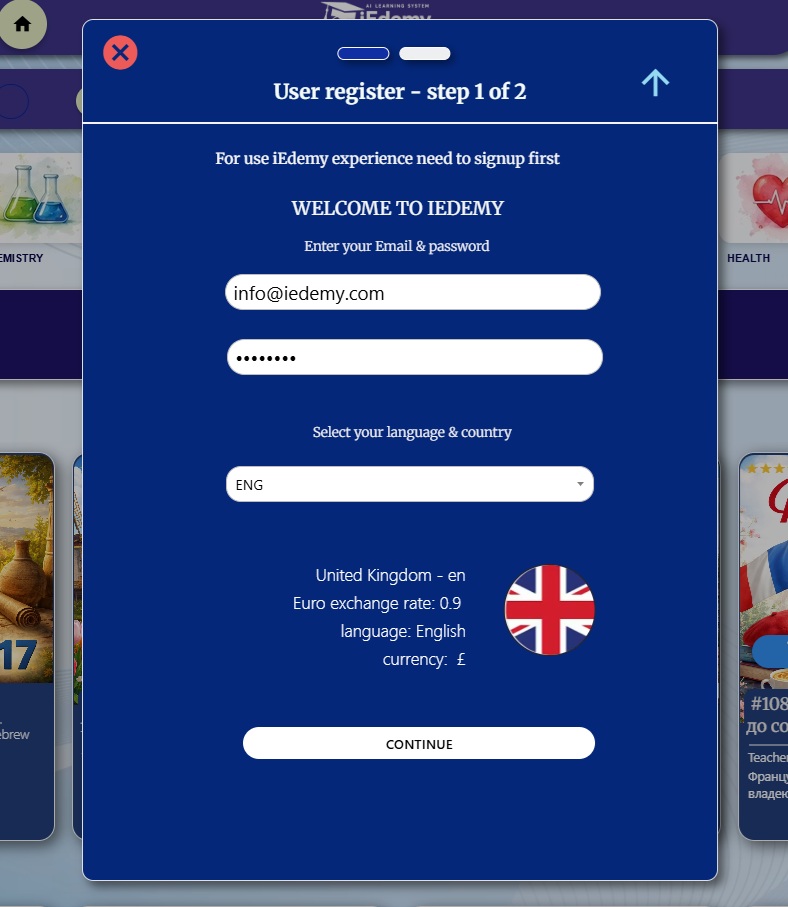
Primary registration is a very simple process. Fill in page 1: email address, your new password, language and country. Choose the country and language from the list.
After entering the data, check that everything is correct and click CONTINUE.
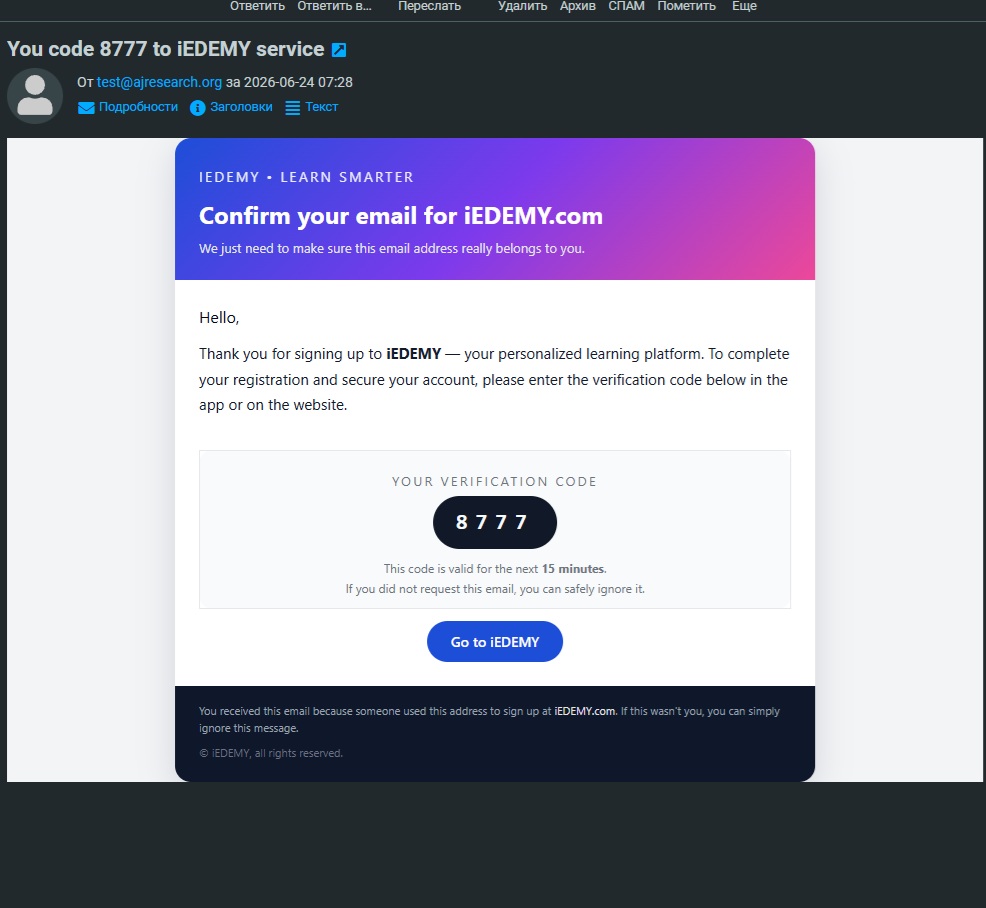
Immediately after that, a message is sent to the email address you specified. This email contains a four-digit numeric code that must be entered on the next screen.
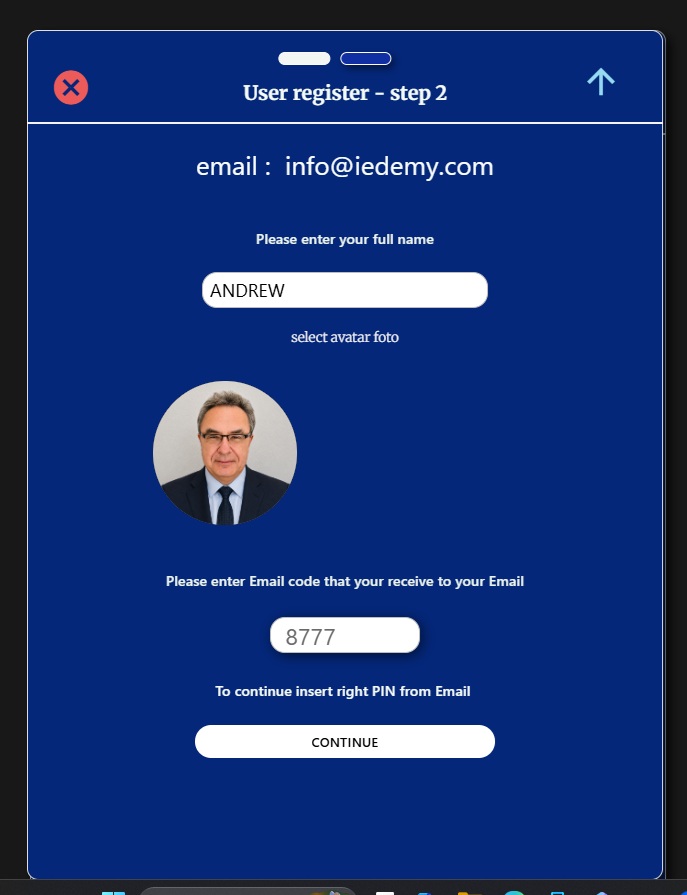
After opening window 2, step 2, enter your real name and photo, as well as the code received by email. This procedure verifies that your email address is valid.
Page 2. Account, Course Selection and Payment
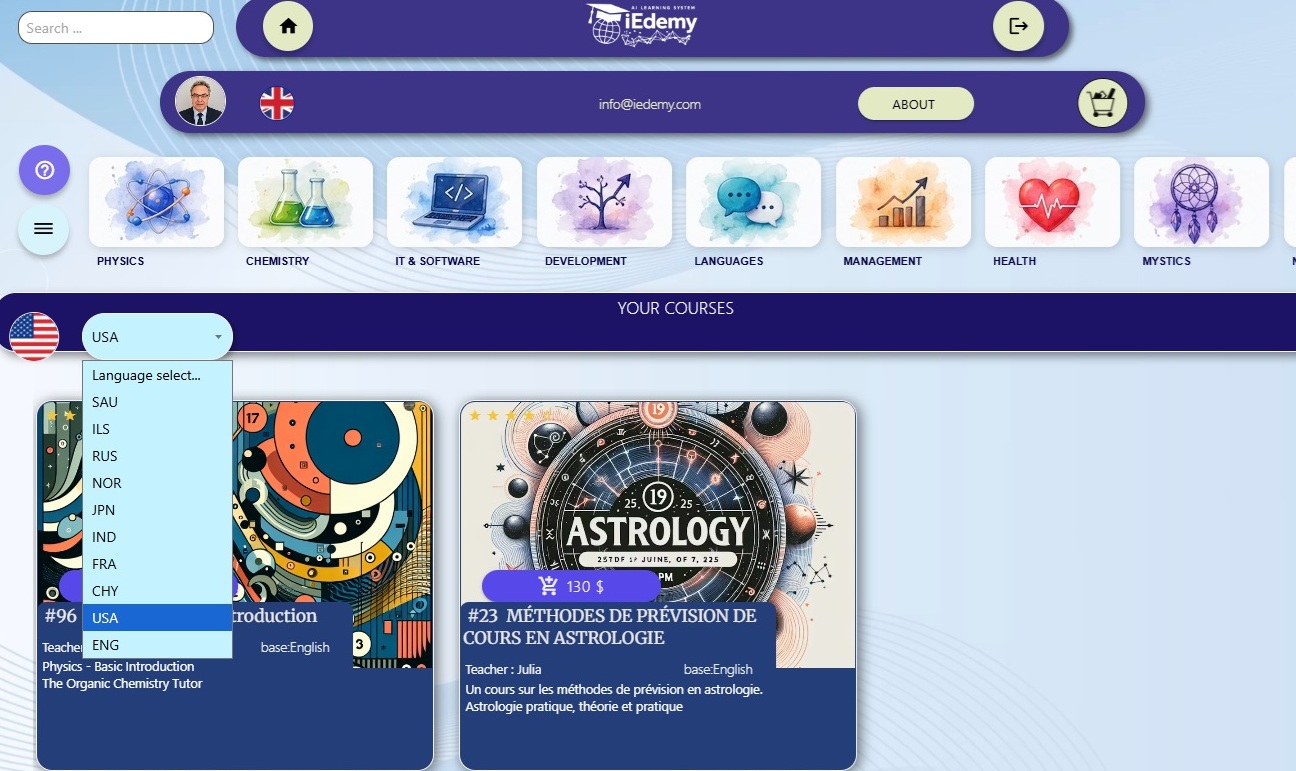
Then click CONTINUE. You will move to your account screen, where the list of courses in your language is displayed. The account identifier is the email address shown under the logo.
Keep in mind that you can order courses from other countries and languages. To do this, choose another language from the drop-down menu on the blue bar.
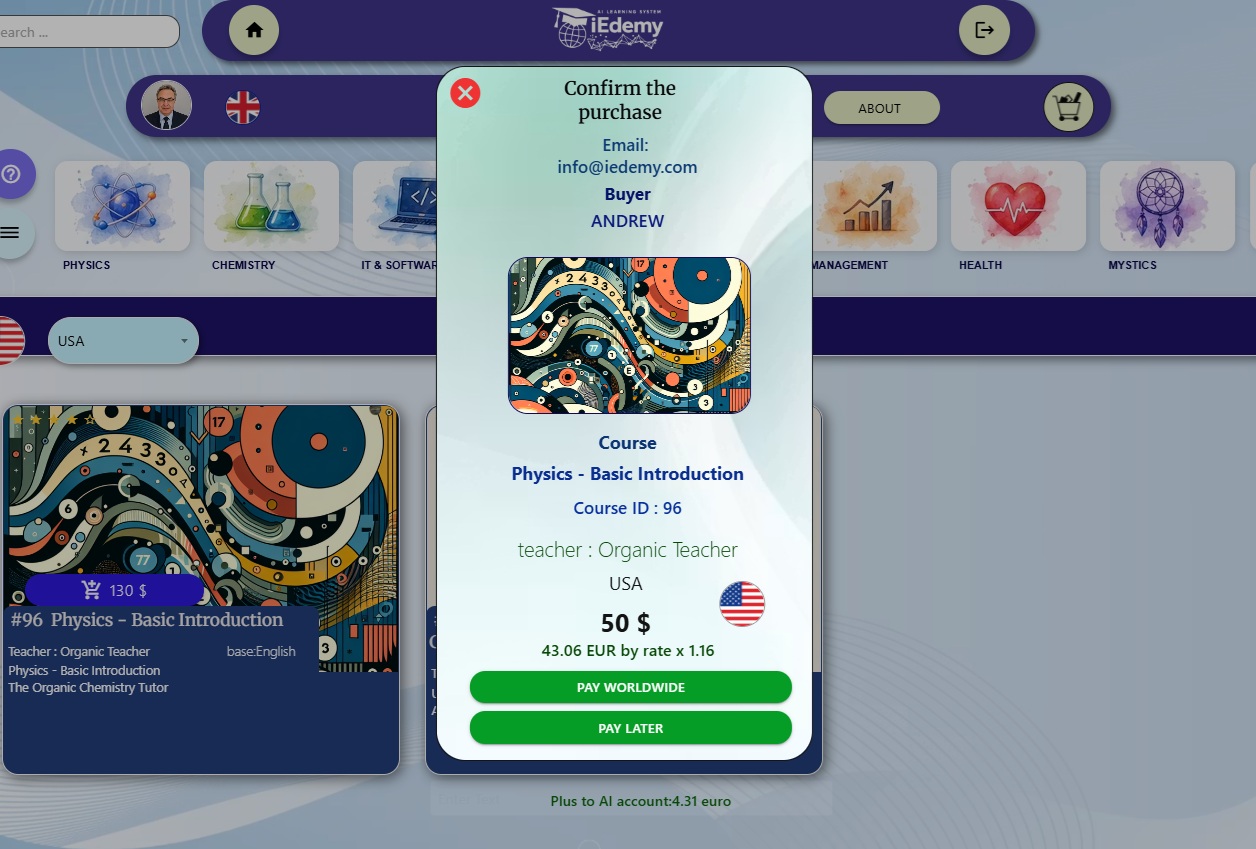
You can order a course immediately by clicking the cart button. The order window opens, where you can confirm the order details and start payment.
Pay worldwide - payment from anywhere in the world.
Pay later - payment by agreement with the teacher. The teacher must activate your course manually after receiving payment in cash or by another method.
Page 3. Accessing the Paid Course
After payment and access approval, the title and number of your paid course appear on the horizontal bar. Click the light-blue button to go directly to the course you ordered.